A collection groups documents sharing a common characteristic — a research theme, a series, a special holding — and gives them a public landing page of their own. Collections exist for dedicated organisations only, and are managed by their administrator.
Search documents within a collection
- Use the facet "Collections" to filter an existing search
- On the document detailed view, click on the collection
- In the public interface, this opens a document search within this collection
- In the administration interface, this opens the settings of the collection
- Use the collection public permalink
- Link structure:
https://sonar.ch/[view]/collections/[PID] - This link can be found by clicking on a collection on a document detailed view
- Link structure:
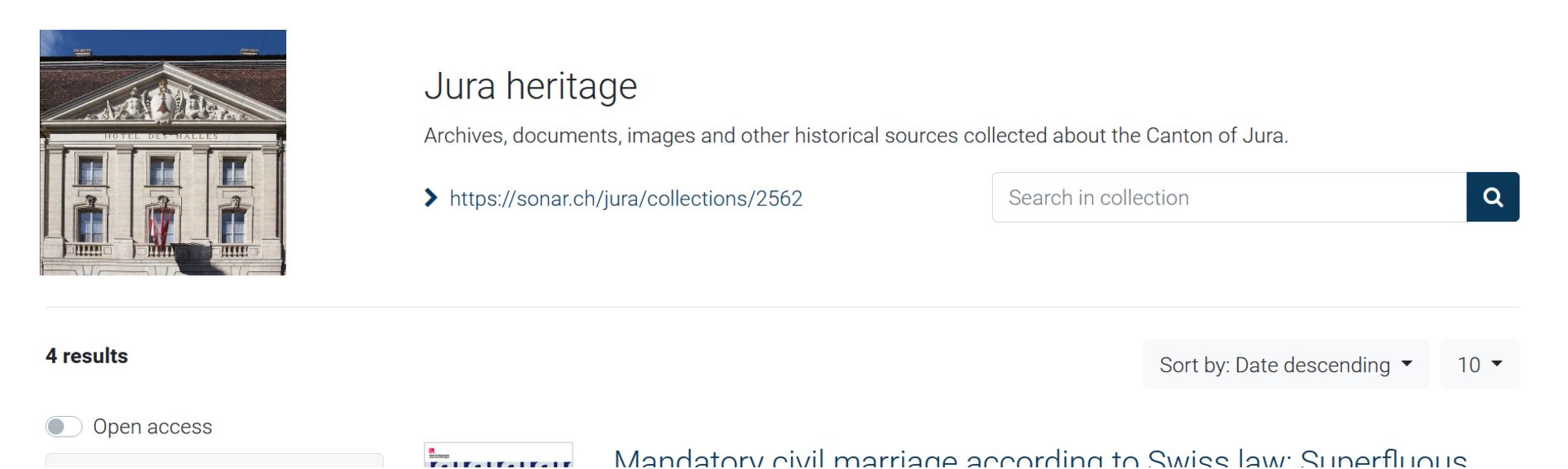
Manage the settings of a collection
- Open the administration interface
- Open Administration > Collections
- Edit a collection
| Field | Description |
|---|---|
| Name | Displayed in the collection facet, document detailed view and collection landing page. |
| Description | Displayed on the collection landing page. |
Manage the documents linked to a collection
See Manage documents, section Add a document to a collection.